Think First for Families · new
Did they try first,
before asking AI?
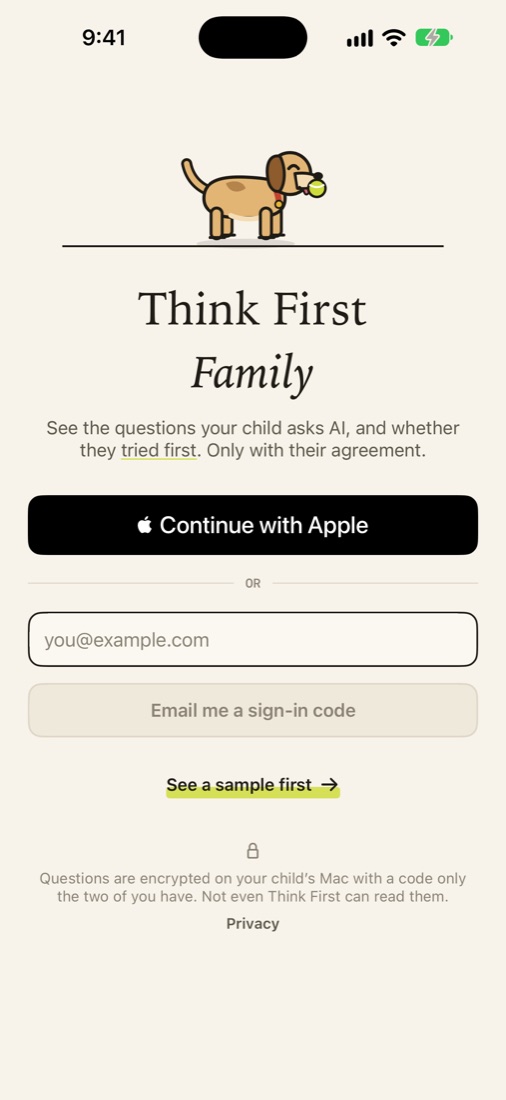
Noodle asks your child to have a go before the AI answers. You see their questions, whether they tried, and how close they got. Only when you both agree.
📱 Think First Family for iPhone is coming to the App Store. Until then, it works in any browser.
What you'll see
A quiet window into how they learn.
Not a spy app. A shared view of a habit you're building together.
Word for word.
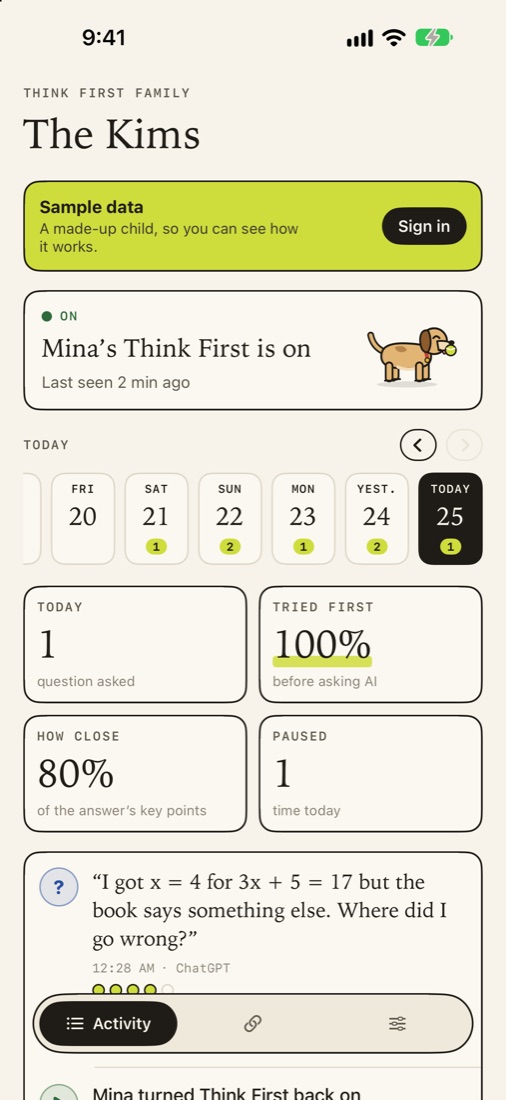
What they asked ChatGPT, Claude or Gemini, and whether they tried it themselves first.
Did their attempt land?
Noodle compares their try with the answer. You see the count, never the answer itself.
See the pattern.
Questions per day, how often they tried first, and when Think First was paused or quit, with a notification.
Privacy
Shared together, locked tight.
- Every question they ask an AI, word for word
- Whether they tried first or skipped
- The subject and which AI
- How close they got: key points got and missed
- When Think First is paused, quit or stops
- What they wrote
- The AI's answers
- The key points themselves
- Screenshots and window titles
- Anything from before they agreed
Questions are end-to-end encrypted with the secret part of your pairing code. Our server only ever sees the first six letters, so it stores scrambled text that not even we can read. Your child sees everything you see, and can stop sharing any time.
Getting started
Set up in five minutes.
Talk about it
Tell them what you'll see and why. Think First works best as a habit you share, not a secret.
Make your family
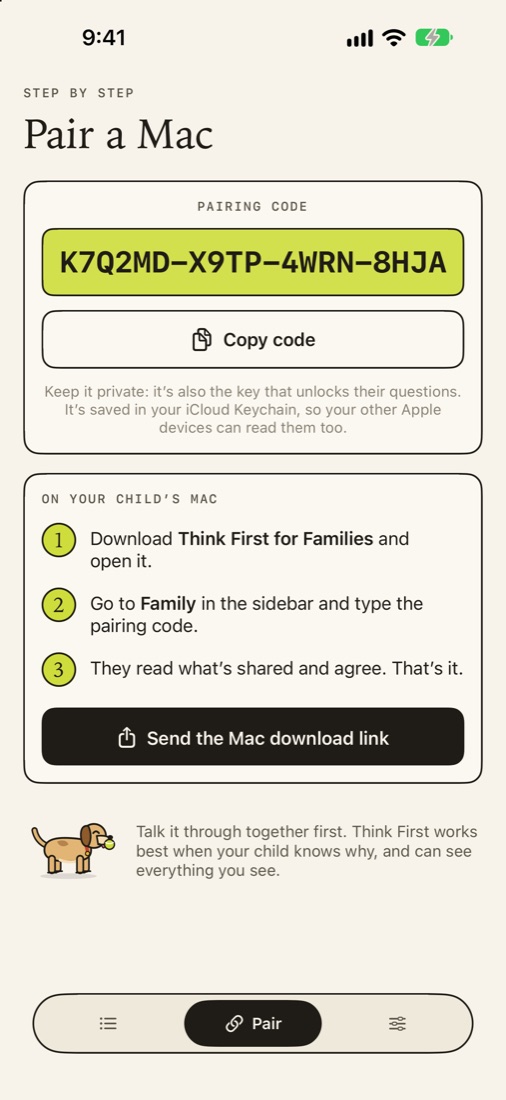
Sign in on the parent app, tick that you've talked first, and get an 18-character pairing code.
They read, then agree
They install Think First for Families, open Family, type the code and read exactly what's shared. Nothing is sent until they agree.
The parent app
Made like Think First.
Get it
Two apps, one family.
Think First for Families
The Mac app, with the Family page. Same Noodle, for AI apps and AI websites.
Think First Family
The parent app for iPhone, coming soon to the App Store. Works in any browser today.
What’s new
Noodle keeps learning.
Every update to Think First for Families and the parent app. New versions of the Mac app are downloaded from this page.
Questions
Good to know.
Can my child turn it off?
Yes. Your child can stop sharing any time from the Family page, and you're told when they do. Think First is about building a habit together, not secret monitoring, so it's never hidden from them.
Will I know if they pause or quit Think First?
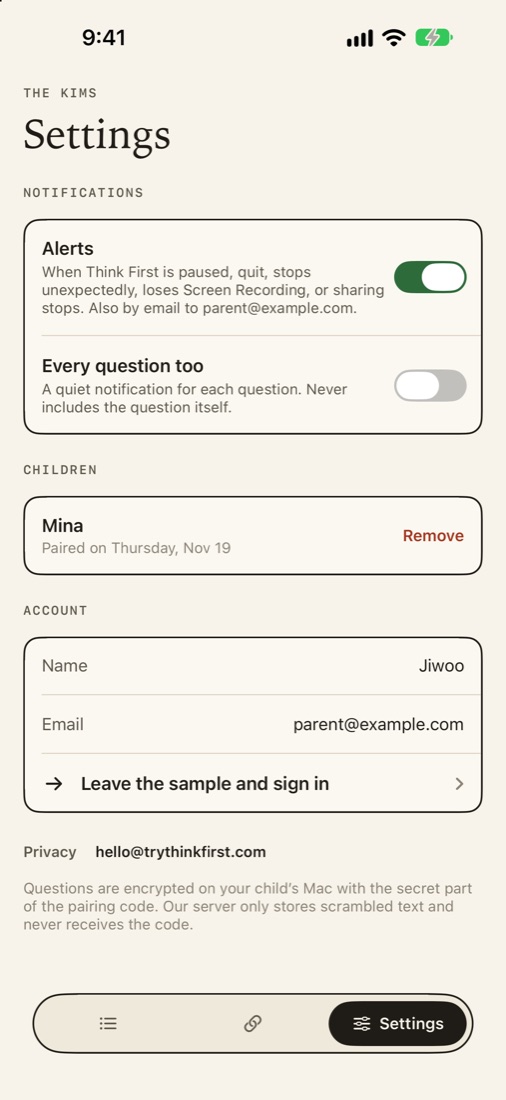
Yes. You get a notification on the iPhone app and an email when Think First is paused, quit, stops unexpectedly (a force quit, crash or flat battery) or loses Screen Recording. At most one email per kind every 30 minutes, and never with the question in it.
Can Think First read my child's questions?
No. They're encrypted on your child's Mac with the secret half of your pairing code, which never reaches our server. Only your child's Mac and your own devices can read them. If you lose the code, old questions can't be recovered, even by us.
What does "how close" mean?
When your child tries first, Noodle compares their attempt with the AI's answer and counts the key points they got and missed, and ideas that were only theirs. You see the counts, like "got 3 of 5 key points", never the points or the answer.
Is it the same app as Think First?
It's a separate Mac app with its own data, so a personal Think First is left untouched. It adds the Family page; everything else, including Noodle, works the same.
Does it see AI websites, or only apps?
Both: the ChatGPT, Claude, Gemini and Perplexity apps, and AI chat websites in Safari, Chrome, Arc, Edge, Firefox and other browsers.
Can I add more than one child?
Yes. Give each child the same pairing code. You can see everyone together, or one child at a time.
Does it cost anything?
It's free.